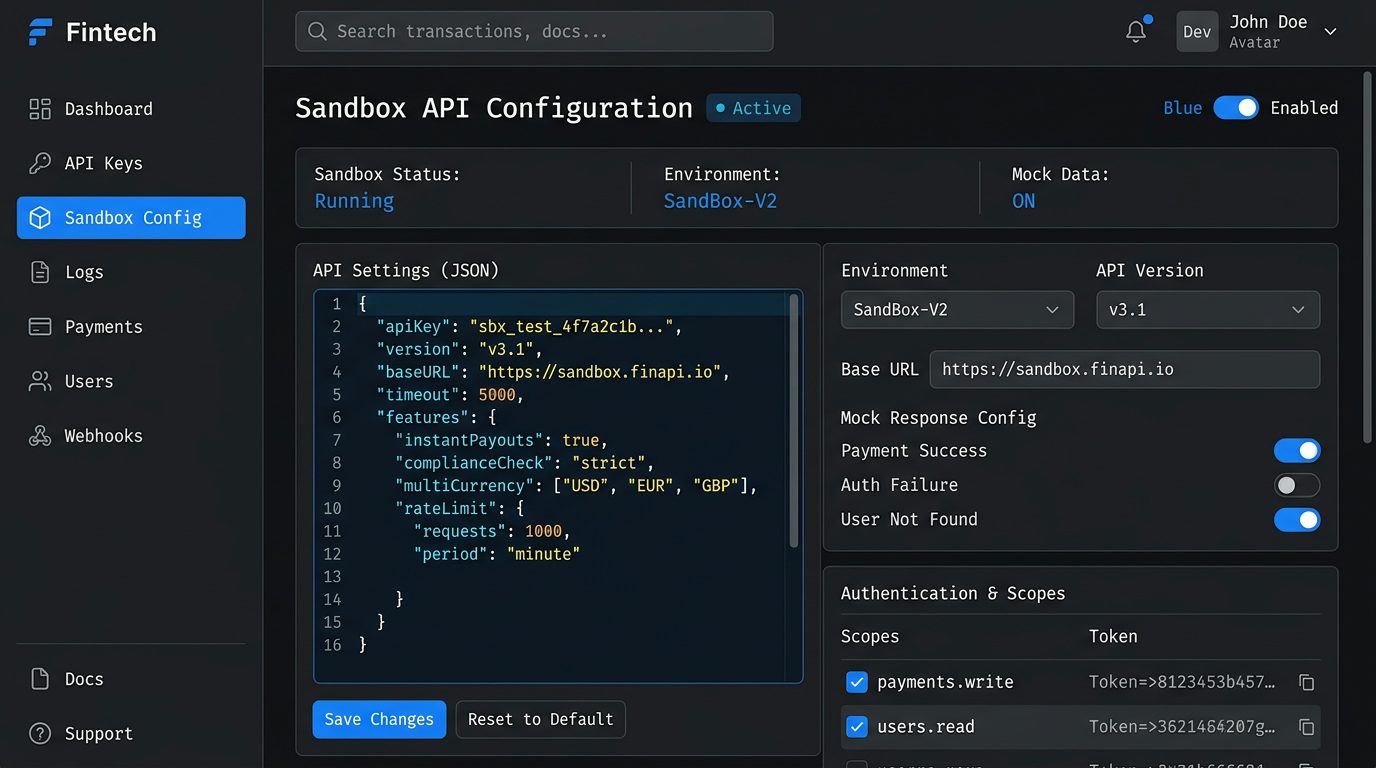
Sandbox & Testing
Airwallex Sandbox API Setup
Learn how to configure your sandbox environment and generate test API keys to safely develop and validate integrations before going live.
6 min read
A practical, step-by-step guide for developers and finance teams — covering how to locate, review, rotate, and secure your API credentials directly inside the Airwallex dashboard. Avoid outages, prevent unauthorized access, and stay in control of your integration.
This is an independent documentation guide. Not affiliated with or endorsed by Airwallex Pty Ltd.
Airwallex uses three distinct credential types to authenticate your application, secure your server communications, and validate event notifications. Understanding each one is foundational to a correct integration.
Your public API key is safe to expose in client-side environments. It identifies your Airwallex account when initializing payment elements, hosted payment pages, or embedded UI components on the front end.
Used For
Where to Find It
Airwallex Portal → Settings → API Keys → Public KeyNever expose your Secret Key or Webhook Secret in client-side code, public repositories, or browser DevTools. Treat them like passwords — rotate immediately if compromised.
1// Initialize Airwallex with your keys2import Airwallex from 'airwallex-payment-elements';4await Airwallex.init({5env: 'prod',6origin: window.location.origin,7});9// Server-side: create a payment intent10const intent = await airwallex.paymentIntents.create({11amount: 1000,12currency: 'USD',13merchant_order_id: 'order_abc123',14});16// Verify webhook signature17const isValid = verifySignature(18payload, sig, whsec19);
Airwallex Portal Location
All three credentials are managed under Settings → Developers → API Keys in your Airwallex dashboard. Keys are scoped per environment (production vs. demo).
Follow these four steps to locate, review, and manage your API keys securely within the Airwallex developer portal.
Visit login.airwallex.com and sign in with your registered credentials. Make sure you have the appropriate account role — Admin or Developer — to access API settings. If you use SSO or two-factor authentication, complete those steps before proceeding.
From the left-hand sidebar, expand the Developer section and click API Keys. This menu is visible only to users with Developer or Admin permissions on the account. You'll land on the API Keys management page, listing all existing keys and their statuses.
Each key is listed with its environment (Live or Demo), creation date, last-used timestamp, and assigned permission scopes. Carefully review which scopes each key holds — principle of least privilege means each key should only have access to what it strictly needs. Revoke or rename any keys that appear unused or unrecognised.
Use the Copy button to safely capture a key for use in your application or CI/CD environment. If you suspect a key has been compromised, click Regenerate immediately — the old key is invalidated and a new one is issued. Never paste keys directly into source code; use environment variables or a secrets manager instead.
Visit login.airwallex.com and sign in with your registered credentials. Make sure you have the appropriate account role — Admin or Developer — to access API settings. If you use SSO or two-factor authentication, complete those steps before proceeding.
From the left-hand sidebar, expand the Developer section and click API Keys. This menu is visible only to users with Developer or Admin permissions on the account. You'll land on the API Keys management page, listing all existing keys and their statuses.
Each key is listed with its environment (Live or Demo), creation date, last-used timestamp, and assigned permission scopes. Carefully review which scopes each key holds — principle of least privilege means each key should only have access to what it strictly needs. Revoke or rename any keys that appear unused or unrecognised.
Use the Copy button to safely capture a key for use in your application or CI/CD environment. If you suspect a key has been compromised, click Regenerate immediately — the old key is invalidated and a new one is issued. Never paste keys directly into source code; use environment variables or a secrets manager instead.
Pro tip: Airwallex provides separate API keys for Demo and Live environments. Always test integrations in the Demo environment before switching to your Live key in production.
A leaked or mishandled Airwallex API key can expose your financial operations to fraud and unauthorized transactions. Follow these three critical security rules without exception.
Your Airwallex API secret key must never appear in browser JavaScript, mobile app bundles, or public repositories. Once exposed, it cannot be recalled. Attackers scan GitHub, npm packages, and browser DevTools for leaked credentials — often within minutes of exposure.
API keys are long-lived credentials that accumulate risk over time. Establish a rotation schedule — quarterly at minimum — and treat any suspected compromise as an immediate rotation event. Airwallex lets you generate a new key and deprecate the old one without downtime if you plan transitions carefully.
The gold standard for API key storage is injecting credentials via environment variables at runtime, backed by a dedicated secrets manager. Solutions like AWS Secrets Manager, HashiCorp Vault, or Doppler ensure your keys are encrypted at rest, access-controlled, and auditable — never sitting in plaintext config files.
Security incident? If you suspect your Airwallex API key has been compromised, invalidate it immediately via the Airwallex portal under Settings → API Keys, then audit your transaction logs for unauthorized activity. Contact Airwallex support to flag the incident formally.
The most frequent issues developers hit when working with Airwallex API keys — and exactly how to resolve each one.
A 401 Unauthorized response means the API request could not be authenticated. The most common causes are:
Authorization: Bearer <access_token>, not the raw API key./authentication/login endpoint to get a fresh token.Fix
Re-generate your access token before each session or implement token refresh logic in your integration layer. Log the exact error body — Airwallex returns descriptive code and message fields that pinpoint the issue.
Airwallex distinguishes between two credential types with different lifespans:
API Key (Client Secret)
Long-lived. Does not expire automatically but can be revoked from the Airwallex Dashboard under Settings → API Keys. If revoked, all tokens generated with it become invalid immediately.
Access Token (Bearer)
Short-lived — expires in 30 minutes. Must be refreshed by calling /authentication/login with your Client ID and API Key again.
Fix
Implement an automatic token refresh mechanism in your SDK layer. Cache the token with a timestamp and refresh proactively 2–3 minutes before expiry to avoid mid-request failures.
Yes. If you have configured an IP allowlist on your Airwallex API key, only requests originating from those whitelisted IP addresses will be accepted. Requests from any other IP return a 403 Forbidden or authentication failure.
Where to update
Airwallex Dashboard → Settings → API Keys → Edit Key → IP Allowlist. Changes take effect within a few minutes.
A 403 Forbidden with an "insufficient permissions" message means the API key's permission scopes do not include access to the endpoint or resource you're calling.
Airwallex uses role-based scopes on API keys. Common scopes include:
Security note
Apply the principle of least privilege — only grant the scopes your integration genuinely needs. Avoid creating keys with all permissions enabled.
Airwallex maintains completely separate environments with separate credentials and separate base URLs. A sandbox API key will never authenticate against the production API, and vice versa.
Sandbox
Base URL:
https://api-demo.airwallex.com
Keys obtained from Demo Dashboard. No real money moves.
Production
Base URL:
https://api.airwallex.com
Keys obtained from Live Dashboard. Real transactions processed.
AIRWALLEX_SANDBOX_KEY and AIRWALLEX_PROD_KEY.NODE_ENV, APP_ENV) to select the correct base URL and credential pair automatically at runtime.Airwallex enforces rate limits per API key to ensure platform stability. Exceeding these limits returns a 429 Too Many Requests response.
Retry-After response header — it tells you how many seconds to wait before retrying.Need higher limits?
Contact Airwallex support to discuss increased rate limits for high-volume production integrations. Provide your Client ID and expected request volume.
Still stuck? Explore the full developer resource library.
Step-by-step guides, security checklists, and integration walkthroughs for Airwallex APIs.
In-depth technical guides to help you integrate, secure, and scale your Airwallex API implementation with confidence.
Learn how to configure your sandbox environment and generate test API keys to safely develop and validate integrations before going live.

Understand how to verify Airwallex webhook signatures and securely process event payloads in your backend without exposing your API keys.
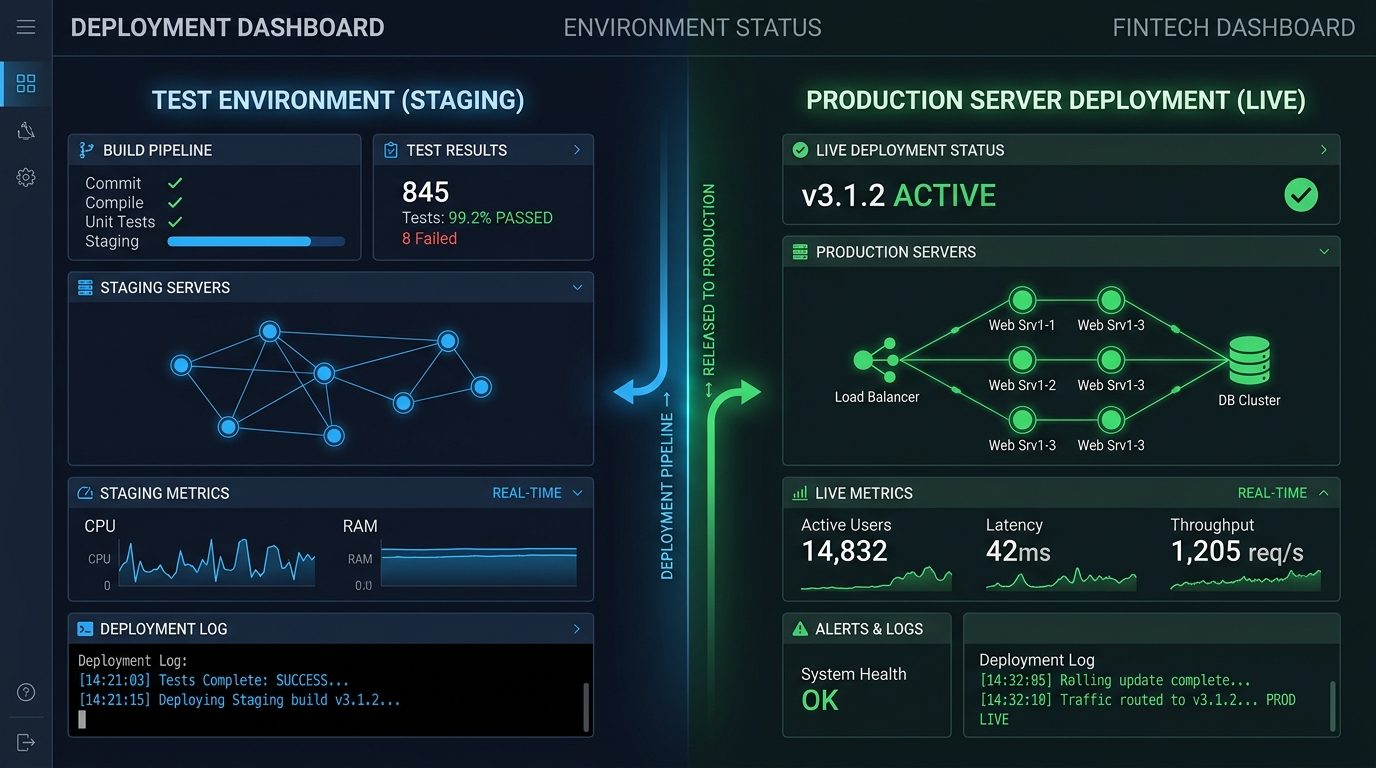
A step-by-step checklist for safely replacing your sandbox API keys with live production credentials and avoiding service disruptions during launch.
Want the full technical reference?
Browse the complete API Key Guide for every setup scenario and security pattern.
aiwrallex-login (aiwrallex-login.com) is an independent, third-party informational resource. This website is not affiliated with, endorsed by, sponsored by, or in any way officially connected to Airwallex Ltd. or any of its subsidiaries, partners, or related entities.
All guides, tutorials, and documentation published on this site are produced independently for educational and informational purposes only. They are intended to help developers and finance professionals understand how Airwallex API keys work, based on publicly available information. Content on this site does not constitute official Airwallex documentation and may not reflect the most current platform features, policies, or interface changes.
For authoritative, up-to-date guidance — including account management, compliance requirements, billing, and API specifications — always consult the official Airwallex website at airwallex.com and its official developer documentation portal.
Airwallex™ and related marks are trademarks of Airwallex Ltd. All product names and trademarks mentioned are the property of their respective owners.
Visit Official SiteYour complete guide to Airwallex API key management — helping developers and finance teams navigate authentication, security, and integration with confidence.
Affiliation Disclaimer: aiwrallex-login is an independent educational resource and is not affiliated with, endorsed by, or officially connected to Airwallex Pty Ltd or any of its subsidiaries. All trademarks, service marks, and company names referenced on this site are the property of their respective owners. This website provides informational guides only and does not constitute financial, legal, or technical advice. Always refer to the official Airwallex documentation and support channels for authoritative guidance.
© 2026 aiwrallex-login. All rights reserved.
Independent guide — not affiliated with Airwallex Pty Ltd.